
Classes with places and a waiting list
You set up the weekly timetable once, with the places in each class. Athletes book from the class booking app and the front desk books for anyone who phones, against the same places.
When a class is full, the next athlete joins the waiting list and takes the place of anyone who cancels. You decide the cancellation window.
The workout of the day, built by the coach
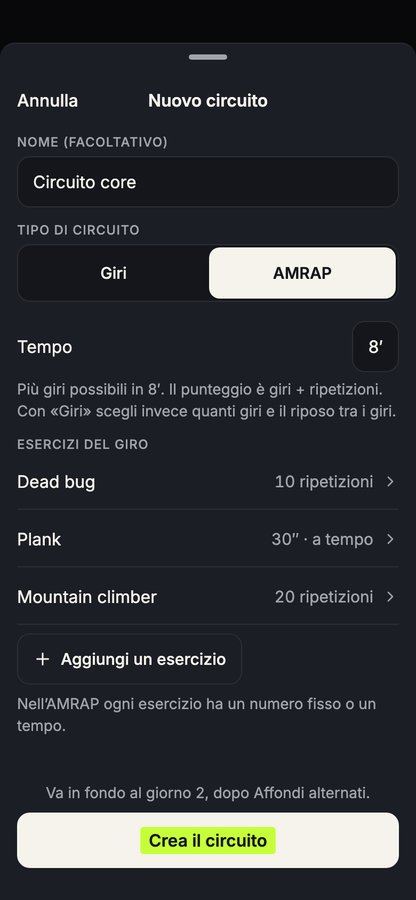
The coach builds the workout of the day (the WOD, as many boxes call it) from exercises and circuits. For each circuit they set rounds, reps, work times and rest, with a video for every exercise. A circuit can also be an AMRAP, scored in rounds and reps.
Each athlete finds the workout in the app and logs loads and reps while training.
Gym floor screens that follow the class
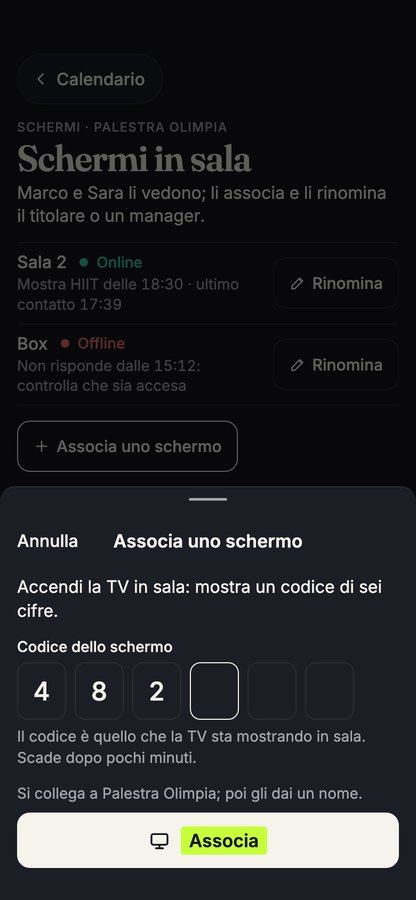
The screens in the box show the workout in progress, person by person, with exercises, sets, reps, loads and rest. The screen follows the class as it moves on.
On the floor, the coach can log the sets for an athlete from their own phone. The athlete finds everything in their history.
Results, personal bests and challenges
Loads, reps and scores stay in each athlete's history, which is never deleted. When an athlete lifts more, their personal best updates on its own.
Box challenges have a leaderboard that updates after every workout. Announcements and events reach every athlete in the app.
Athletes' feedback on each class
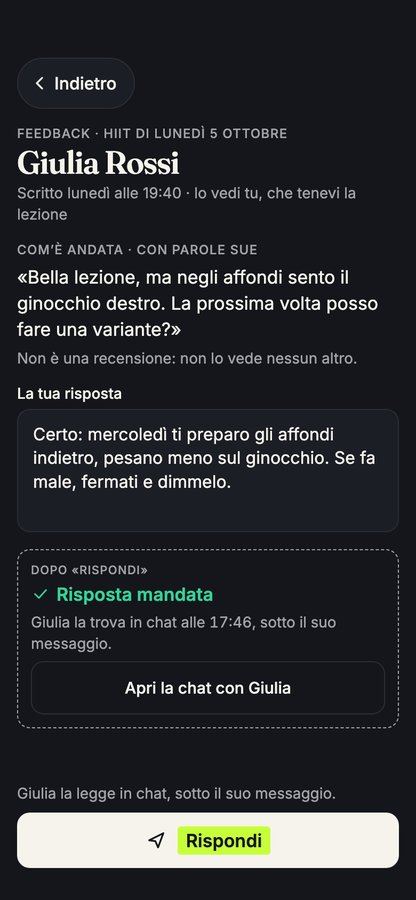
After class, anyone who attended can leave a rating and a comment. In the management app you read them class by class, with the name of the coach who ran it.
Reviews appear on the class page and on the coach's profile. People looking for a box read them before booking their first class.
Memberships, class packs and trial classes
Put memberships, class packs and drop-in classes on sale. Athletes buy from their phone, with instalments if you offer them, and the money goes into the box's bank account. Outstanding payments and reminders are part of the membership payments tools.
People who come for a trial class are followed at the front desk up to their first purchase. At the door, the QR code on their phone or in their Wallet is all they need, at the turnstile too.
What it costs
The software is free, with every feature and no subscription fee. Athletes who buy in the app pay a small service fee, shown before they pay, and you can choose to cover it yourself.
If you want athletes to download an app with the box's name, the version with your own brand is priced on request.