
Every activity in one timetable
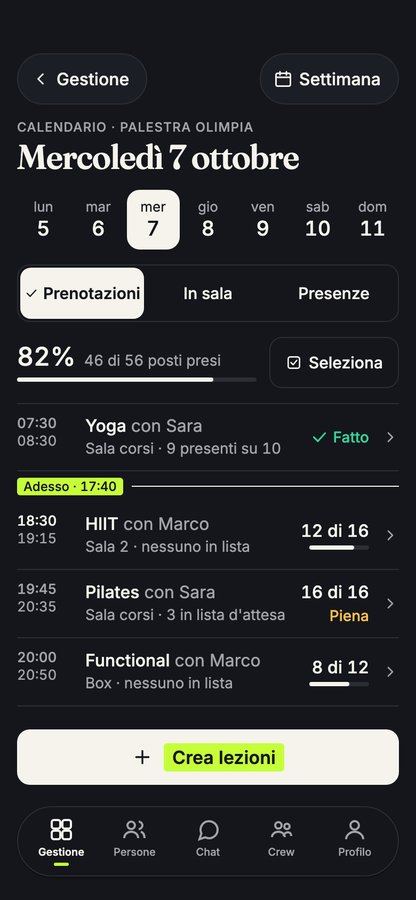
Each activity in the centre is a class, with its own time, instructor and places. Swimming, fitness, yoga, martial arts and dance sit in the same weekly timetable.
Recurring classes repeat on their own. Members book from the class booking app and reception books for anyone who phones, against the same places. When a class is full, the waiting list moves up on its own.
Members, instructors and staff
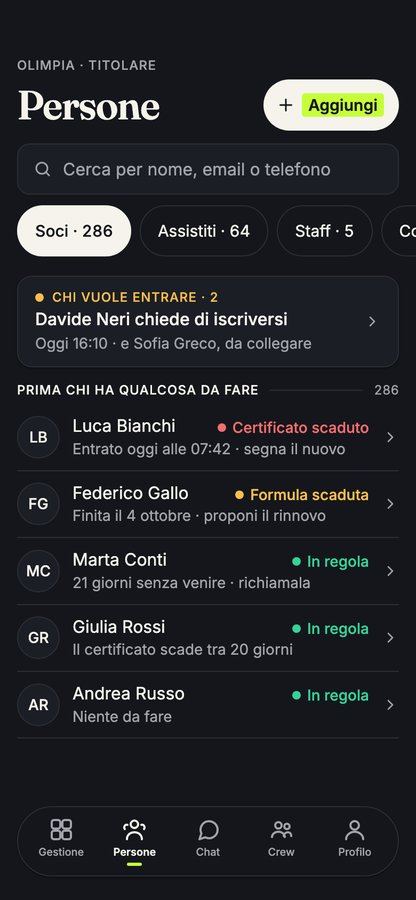
Members, instructors and staff are in one list, with the details of each person. Every instructor sees their own classes and who has booked.
Chat connects members and staff in the same app. For a timetable change or a closed studio, you post an announcement and every member sees it.
Members who do more than one activity
Someone who swims on Monday and does Pilates on Thursday uses the same app and the same QR code. Their Home screen shows the classes they've booked across every activity.
For the centre, bookings stay separate by class. You see how many places are taken in each activity and each time slot.
Memberships and class packs sold in the app
Put memberships, class packs and drop-in classes on sale for each activity. Members buy from their phone, with instalments if you offer them, and the money goes into the centre's bank account.
Outstanding balances sit in one list, with reminders. Discount codes, gift cards and trial classes are included in the membership payments tools.
QR check-in and access control
Every member has a QR code on their phone and in their Wallet. If the centre has a turnstile, Yeki connects to it and lets in anyone with a valid membership. Every visit is logged.
With the same access you can keep the gym floor open during unstaffed hours, as we explain on our page about 24-hour gym access.
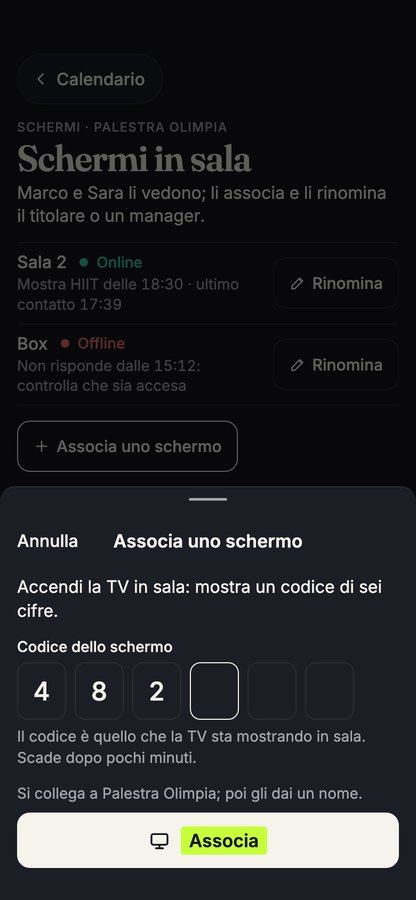
Gym floor screens
Screens in the gym or the studio show the workout of the class in progress. For each person they list exercises, sets, reps, loads and rest.
The screen follows the class as it moves on. On the floor, the instructor can log the sets for the person training, from their own phone.
What it costs
The software is free, with every feature from the first day and no subscription fee. Members who buy in the app pay a small service fee, shown before they pay, and you can choose to cover it yourself.
If you want an app with the centre's name, the version with your own brand is priced on request. Members and memberships are imported from a file, and the centre is ready in an afternoon.