What should I decide before looking at any software?
Write down how your gym works today, on one page, before the first demo. A salesperson will show you the features they are proud of; your page tells you whether those are the ones you need.
Then ask two or three people who will use the software every day, at reception and on the gym floor, what they would change first. Their answers are your shortlist of must-haves.
- Your size today and in two years: members, staff, sites
- How people train with you: classes, open gym, personal training, or a mix
- Who sells memberships and who checks people in, and at what hours
- What wastes the most time today: chasing payments, filling cancelled spots, answering the same messages
- The hardware you already have: turnstiles, door locks, tablets, screens
What must the booking side do?
Bookings are what members touch most, so test them as a member would, on a phone. A good system lets you set up recurring classes once, with a number of spots for every time slot, and fills cancelled spots from a waiting list without anyone at reception having to ring round.
Check the cancellation window: you should set it, and it should apply the same way to bookings made in the app and at the desk. Check one-to-one sessions too, and whether they sit in the same calendar as group classes. If classes are your main business, compare against what a dedicated class booking app does.
What should I check about payments?
Where the money goes, and how fast. The best answer is straight into your own bank account. Ask whether the provider holds funds before paying them out, what each card payment costs, and whether there is a fixed fee per collection on top of what your bank charges.
Then check what you can sell: memberships, class packs, drop-ins and trials, instalments, discount codes and gift cards. Ask how you see who still has to pay, and how many clicks a reminder takes. Our page on gym membership software lists what a complete setup includes.
How should check-in and door access work?
Cards and fobs cost money and get lost. Most modern systems use a QR code on the member's phone, ideally also as a Wallet pass, read at reception or by a reader at the door or turnstile. The software should check that the membership is valid at that moment and log every entry and every refusal.
Ask which turnstiles and door locks the software works with, and what happens if the internet goes down. If you plan to open longer or around the clock, door access is the piece that makes it possible: see how 24-hour gym access control works.
What about the app members and coaches use?
Members judge your gym by the app on their phone. Download it before you sign and read its reviews in the App Store and Google Play: if members hate it, they will book by message instead, and your staff pay for it.
A member app people open every day does more than booking. Workout plans with exercise videos, progress they can see, chat with coaches, announcements and challenges all give them a reason to come back. For coaches, check whether they can write plans, follow progress and log sets for a member on the gym floor, from the same app.
Which questions should I ask before signing?
Get the answers in writing. A provider who answers all of them clearly, on one page, is one you can work with. For the pricing questions, our guide on how much gym management software costs explains each model in detail.
Ask for two or three customers with a gym like yours, and call them yourself. Then run a trial with actual work: set up next week's timetable, sell a class pack to a member of staff, check them in and cancel a booking late. Any gap shows up in a day.
- How is the price built: flat, per member, per site, per module? What does it cost at our size in a year?
- Are there setup, migration, text message or payment fees not on the pricing page?
- How long is the contract, what is the notice period and what happens to the price at renewal?
- Can we export our members and memberships to a file at any time, and who owns the data?
- How do we import our current members, and how long does it take?
- How do we reach support, at what hours, and do we talk to a person who knows gyms?
How does Yeki answer the checklist?
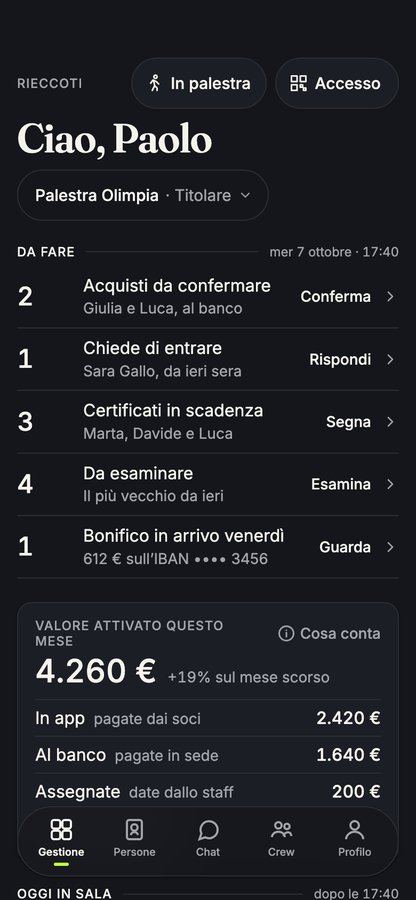
Yeki's management app is free for gyms, studios and independent professionals, with every feature included from the first day: no subscription, no tier, no price per member and no module to unlock. Recurring classes with spots for every time slot, a waiting list that moves up on its own and a cancellation window you set, the same at reception and in the app.
Memberships, class packs and drop-ins are sold in the app and paid straight into your bank account, instalments included, with outstanding balances and reminders in one tap, discount codes and gift cards. Every member has a check-in QR code on their phone and in their Wallet, with turnstile integration, and leads and trials are followed at reception up to the first purchase. Coaches write workout plans and circuits with exercise videos and can log the sets for the person training; screens on the gym floor follow the class; chat, announcements, events and challenges keep members close, and Yeki shows you the members at risk of leaving before they go.
The model is public. Yeki earns from Plus and Yeki Pass, which people pay for, from a small service fee paid by whoever buys in the app, which you can choose to cover, from ads, and from apps with a gym's own brand. You receive the full price of your memberships. Members can ask for a copy of their data at any time, and your members and memberships are imported from a file, so your business is ready in an afternoon.